
What are Image Models?
Image Models are AI engines specialized in generating images from text prompts or reference images.They allow you to create visual content, explore styles, and iterate on ideas in your drafts. Currently, Canvasit supports the following image models:
| Model | Est. Time per Request | Credit Cost | Best Use Case |
|---|---|---|---|
| Nano Banana | ~4-10 seconds | 20 | Quick concept sketches and test renders |
| Seedream 4 | ~4-10seconds | 20 | Creative illustrations and idea exploration |
| Flux Dev | ~4–10 seconds | 5 | Development prototypes and experimental art |
| Flux Schnell | ~3–5 seconds | 2 | Fast iterations |
| Flux Pro | ~4-10 seconds | 5 | High-quality detailed images |
| Flux Kontext Dev | ~4-10 seconds | 20 | Context-aware designs for prototypes |
| Flux Kontext Max | ~4-10 seconds | 20 | Maximum detail and context-aware generation |
| Juggernaut Pro Flux | ~5–10 seconds | 5 |
How to Use Image Models
Create a Image Block, then choose the desired model from the menu.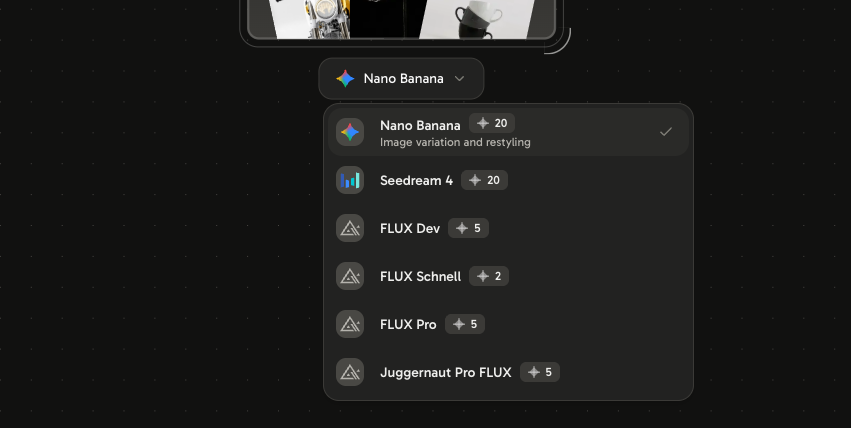
- Connect a Text Block or Reference Block to an image model to generate visual content.
- You can experiment with multiple models to see which one best fits your creative style or project requirements.